If you’ve got a 3D printer sitting in the garage, you’ve probably been through the same cycle I have. You print a few Benchys, maybe a fidget toy for the kids, something questionable from Thingiverse at 2am, and then it just… sits there. Gathering dust. Meanwhile, the TV remotes are lost down the back of the sofa again, the cable situation behind your desk looks like a plate of spaghetti, and your other half is giving you that look that says “I thought that printer was supposed to be useful.” Sound familiar? Good. Because once I started printing things the whole family actually uses every single day, the printer went from expensive hobby to genuinely indispensable household tool. My Bambu Lab P2S barely gets a rest now, and honestly, it’s earned its spot in the garage.
Here’s the thing. The best 3D prints aren’t the flashy ones. They’re the boring ones. The ones that solve a tiny daily annoyance so quietly that nobody even notices them anymore. That’s the sweet spot. So let me walk you through five prints (well, five categories, with a few bonus picks) that have genuinely made life better around our house. I’ll cover which filament to use, rough print times, and link to the actual files I’ve used.
Choosing the Right Filament (Without Overthinking It)
Before we get into the projects, a quick word on filament because it matters more than you’d think for household prints. My general rule is simple. PETG for anything functional that needs to last. PLA+ if I want an easier print but still need a bit of toughness. And standard PLA if it’s purely decorative or just for fun.
Why PETG? It’s essentially the same family of plastic as water bottles, enhanced with glycol so it doesn’t go brittle. It handles heat up to around 80–85°C before softening, compared to PLA which can start warping at just 50–60°C. That matters when something lives on a windowsill in summer or near a radiator. PETG is also tougher and more impact-resistant, so clips and hooks actually survive daily use. The trade-off is that it strings a bit more during printing and you’ll want to keep the filament dry. Once you’ve dialled in your retraction settings though, it’s not a big deal.
Cost-wise, PETG runs about £20–£32 per kilogram spool in the UK, compared to roughly £15–£25 for PLA. A few quid more per roll for prints that actually survive family life is a no-brainer.
The Picks: Five Prints That Actually Get Used
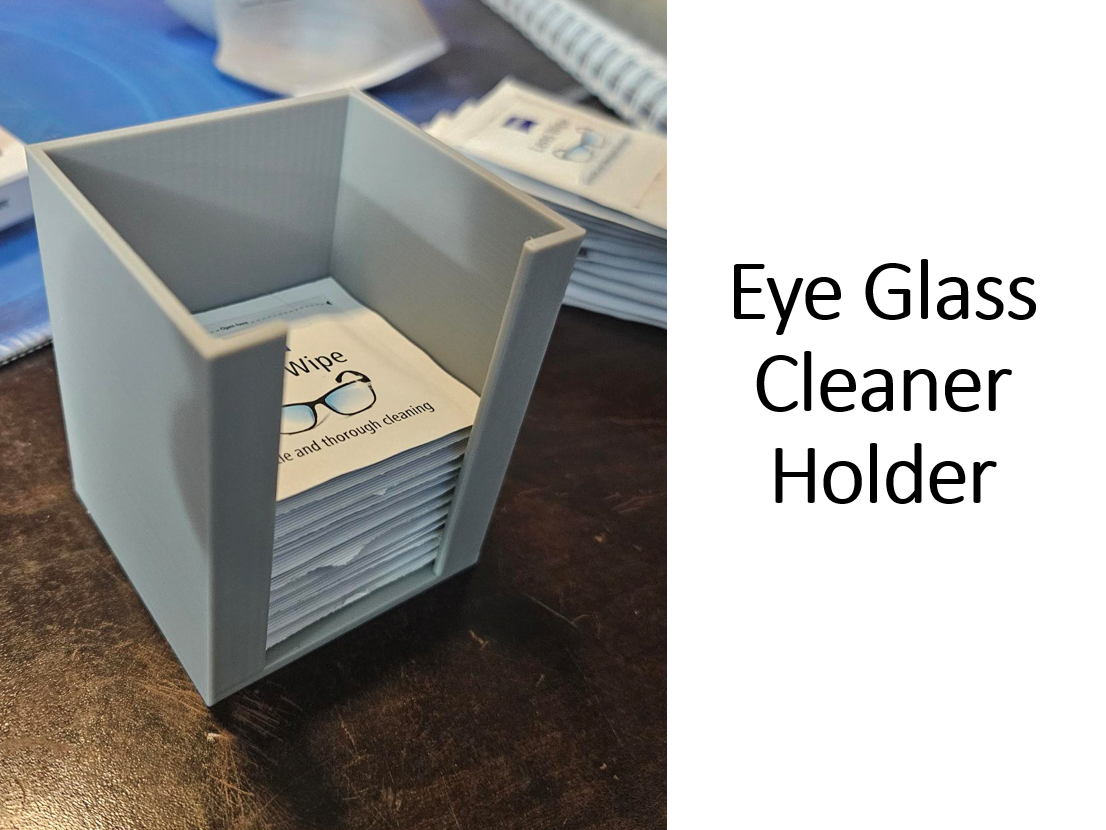
1. Glasses Cleaner Stations
This one surprised me with how much it gets used. I printed several of these little glasses cleaner holders and scattered them around the house. One by the TV, one on my desk, one in the hallway. They hold a microfibre pad and give you a quick way to clean your glasses without hunting for a cloth. They get used constantly for glasses, phone screens, you name it. It’s one of those prints where you think “that’s a bit niche” and then wonder how you lived without it.
Filament: PLA is perfectly fine here. It’s not load-bearing or heat-exposed. Print time: Roughly 1–2 hours each depending on your settings. Print five. Trust me.
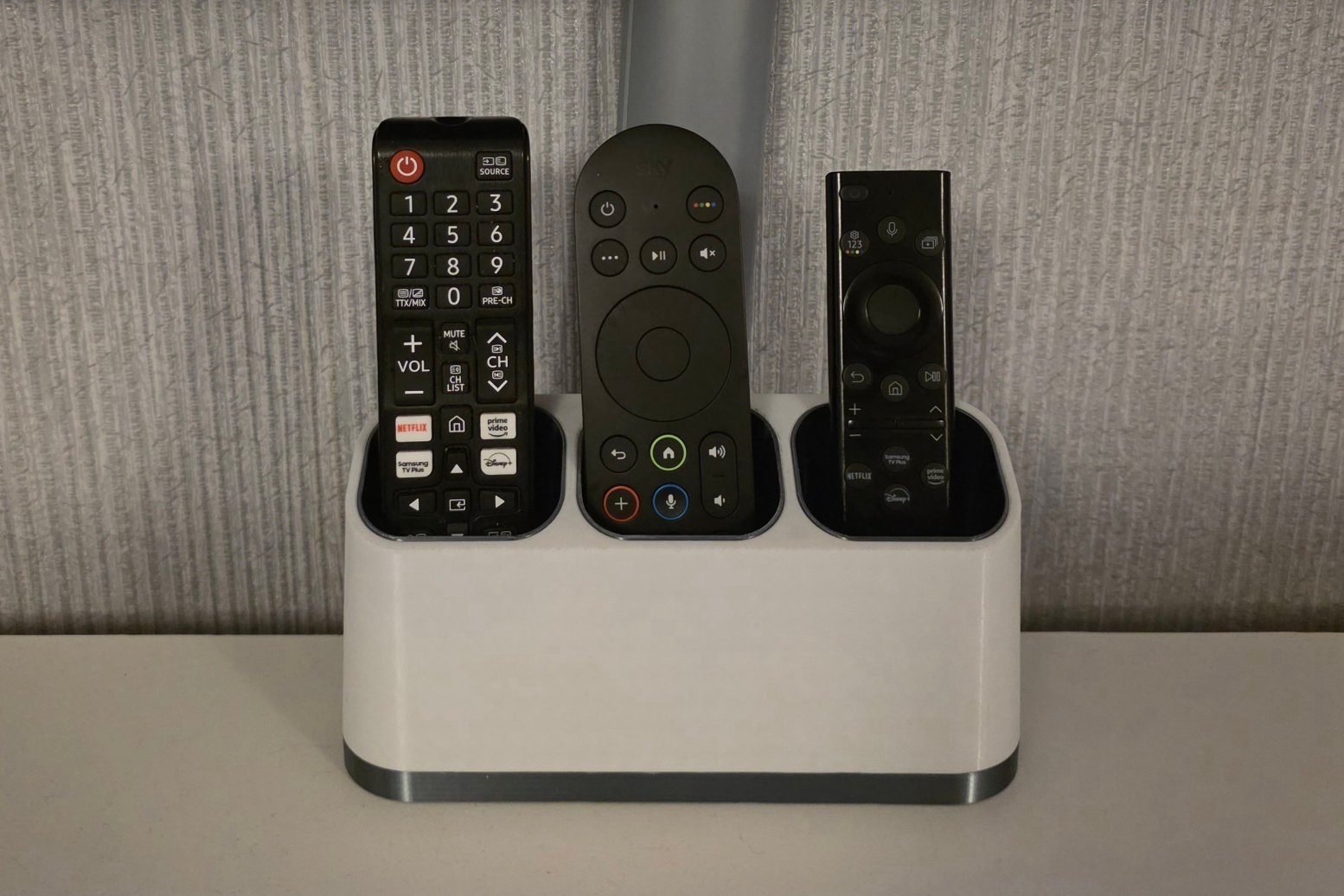
2. TV Remote Control Stand
I cannot overstate how much domestic harmony this one has brought. The TV remote stand sits on the coffee table and holds all the remotes upright in one place. No more fishing down the side of the sofa cushions. No more “who had the remote last?” debates. It just works. Ours holds the Sky remote, Samsung TV remote, and the PlayStation controller charger sits next to it.
Filament: PETG. It gets knocked about on the coffee table, picked up, put down, and occasionally used as a sword by a thirteen-year-old. It needs to survive. Print time: Around 3–4 hours.
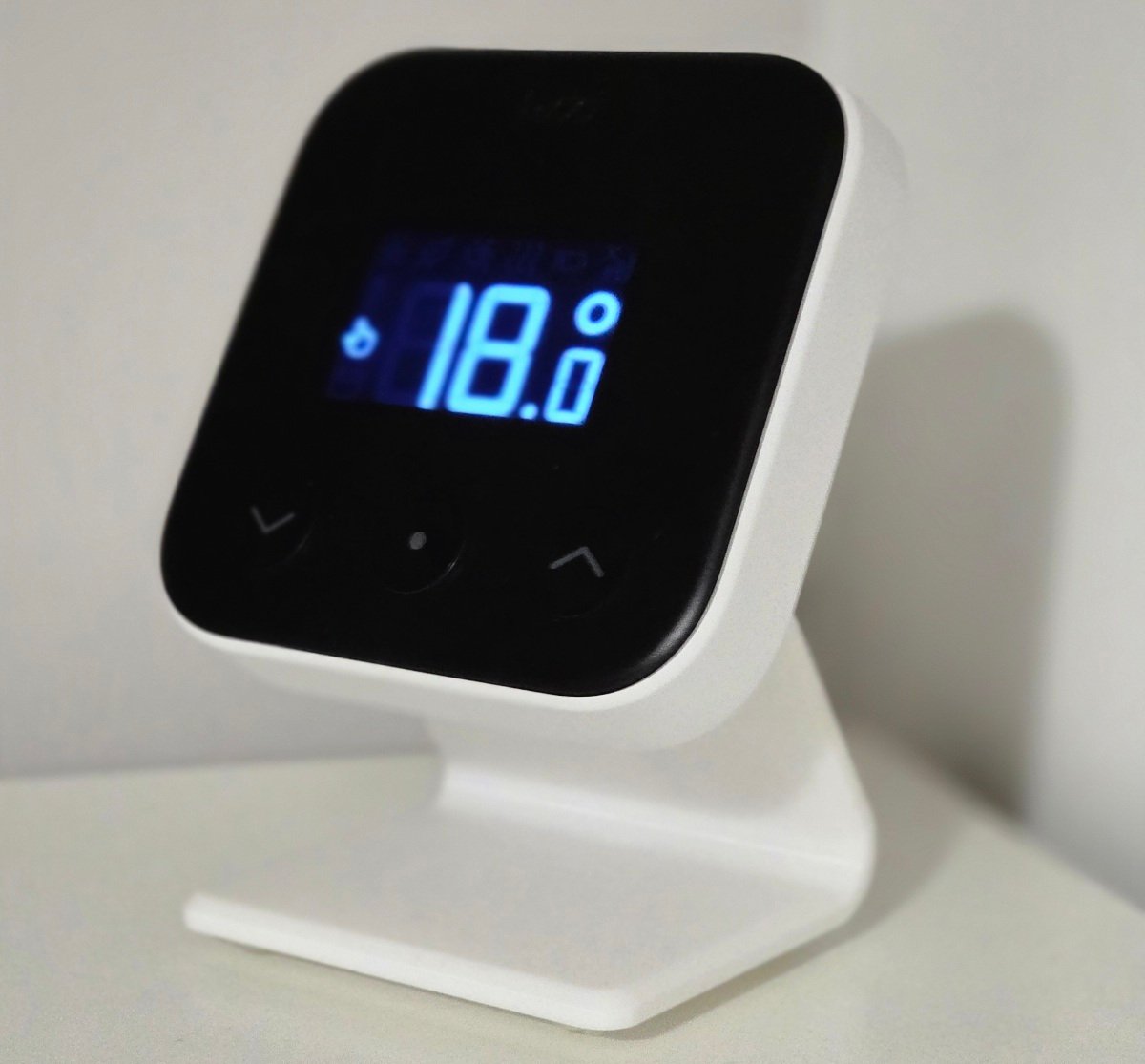
3. Tado Thermostat Stand
If you’ve got a Tado smart thermostat (or similar), you’ll know the problem. The wireless controller is designed to sit on a surface, but it’s small, light, and somehow always ends up migrating around the house. Ours once turned up in the fridge. Don’t ask. The Tado stand holder gives it a proper home. It clips in, it stays put, and the heating schedule actually works now because nobody accidentally pockets it while tidying up.
Filament: PETG. It lives near the hallway radiator, and PLA would eventually soften. Print time: About 1.5–2 hours.
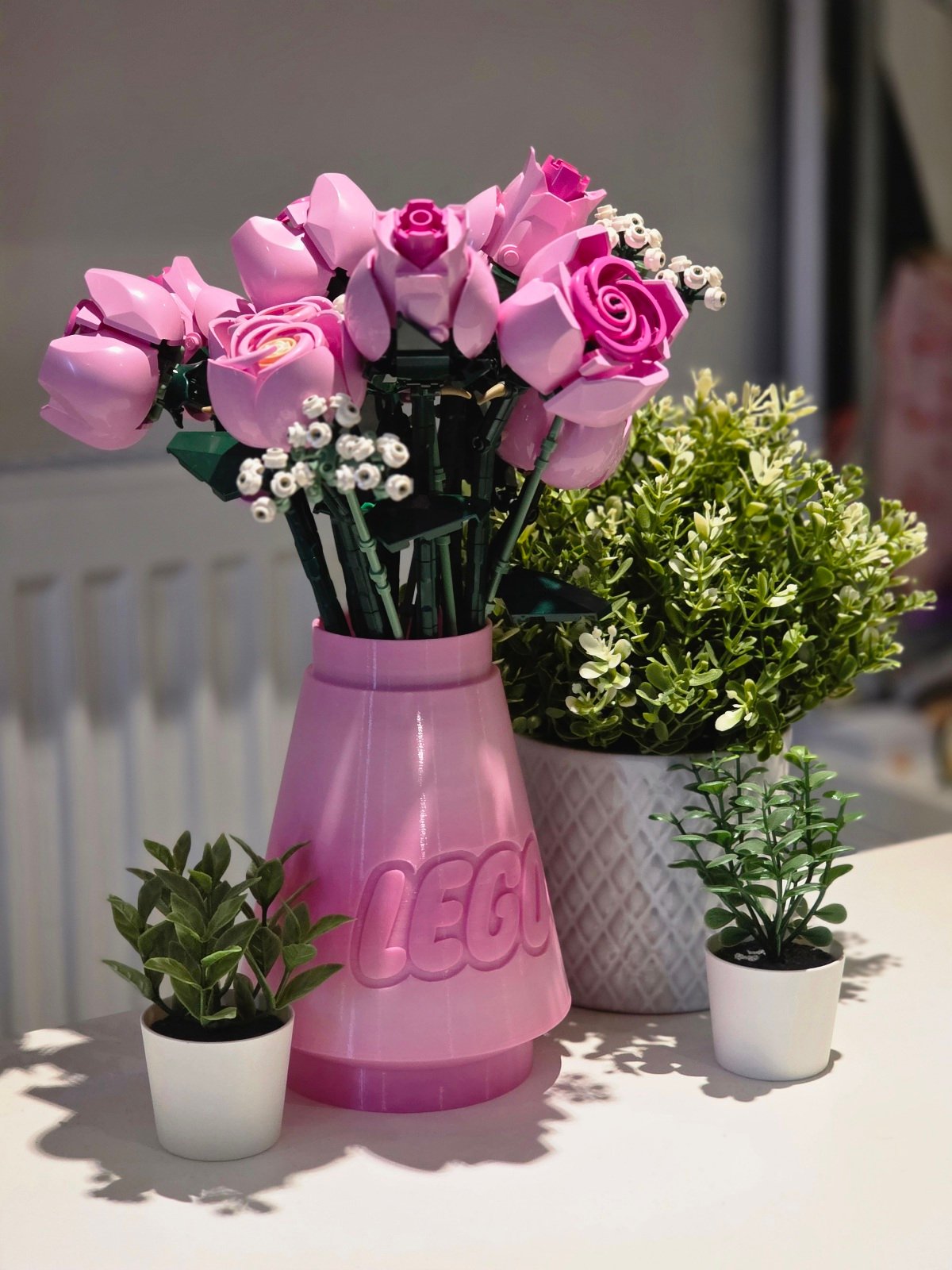
4. Lego Brick Vase Holder
This one’s for anyone who’s bought the Lego flower sets. They’re brilliant, the kids love building them, and they look great on a shelf. But they need a vase, and Lego doesn’t include one. The Lego brick vase holder is styled to look like an oversized Lego brick, so it matches the aesthetic perfectly. It sits on our dining table and genuinely looks like it was designed to go with the set. Visitors always ask about it.
Filament: PLA+ works well here. It’s decorative, it’s indoors, and PLA+ gives you slightly better layer adhesion for a cleaner finish. Print it in a bright colour to match your flowers. Print time: 4–6 hours depending on size and infill.
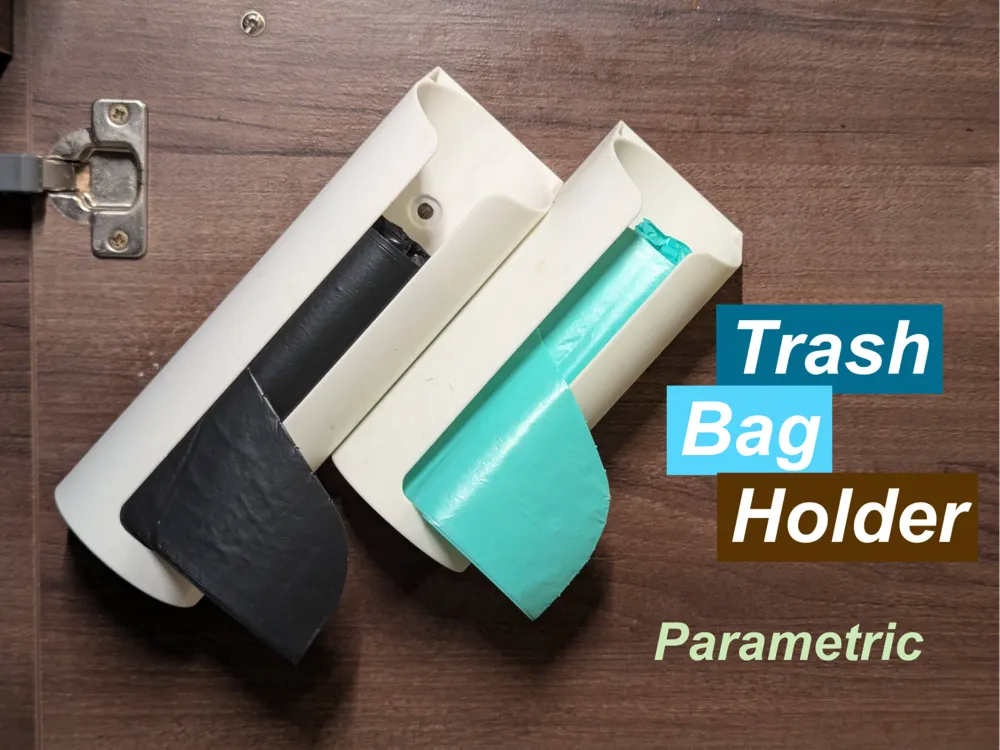
5. Parametric Trash Bag Holder
Right, this one sounds deeply unglamorous, but hear me out. The parametric trash bag holder clips onto the inside of a bin and holds the bag open so it doesn’t collapse into itself every time you throw something away. Because it’s parametric, you can scale the model to fit any bin. I printed two, one for the food waste bin in the kitchen and one for the general waste. It’s the kind of thing that saves you a tiny moment of frustration twenty times a week, which adds up to a lot of not-swearing-at-a-bin-bag over a year.
Filament: PETG, absolutely. It’s going to get damp, greasy, and cleaned regularly. PLA would degrade over time. Print time: About 1–2 hours per holder.
Bonus Prints Worth Mentioning
I’ve also shared a few other prints on MakerWorld that live around the house. An egg cup holder (390593 ) that keeps everything tidy at breakfast, a desk organiser (659620 ) that finally tamed the chaos on my desk, and a Mac Mini M4 under-desk mount with SSD shelves (1098886 ) that freed up actual desk space. That last one is a remix of theHunsa’s brilliant original design, tweaked by Dave W. to add shelves for external SSDs. Because, let’s be honest, Apple’s storage upgrade prices are enough to make your eyes water. All of these, plus the five above, live in my MakerWorld “House Stuff” collection if you want to browse.

Quick Comparison Table
| Filament | Print Time | Difficulty | Daily Use Rating | |
|---|---|---|---|---|
| Glasses Cleaner Station | PLA | 1–2 hrs | Easy | ★★★★★ |
| TV Remote Stand | PETG | 3–4 hrs | Easy | ★★★★★ |
| Tado Thermostat Stand | PETG | 1.5–2 hrs | Easy | ★★★★☆ |
| Lego Brick Vase Holder | PLA+ | 4–6 hrs | Medium | ★★★★☆ |
| Parametric Trash Bag Holder | PETG | 1–2 hrs | Easy | ★★★★★ |
The Bottom Line
If you’re just getting started with practical prints, start with the TV remote stand and the glasses cleaners. They’re quick, easy, and the family will actually notice and appreciate them. That’s half the battle when you’re justifying a 3D printer’s existence to a sceptical household. If you’re already comfortable with PETG, the trash bag holders and thermostat stand are the kind of quietly brilliant prints that make the whole house run a tiny bit smoother.
The real secret to making a 3D printer worth every penny isn’t printing show-off pieces. It’s printing the boring stuff that solves problems nobody bothered to solve before. Every one of these prints cost pennies in filament and a couple of hours of print time. And every single one of them is still in use, months later. That’s the test.
Got a 3D printer and want more ideas like this? I share practical prints, family tech tips, and honest reviews every week. Sign up for the Tech Dads Life newsletter here and I’ll keep the ideas coming straight to your inbox.