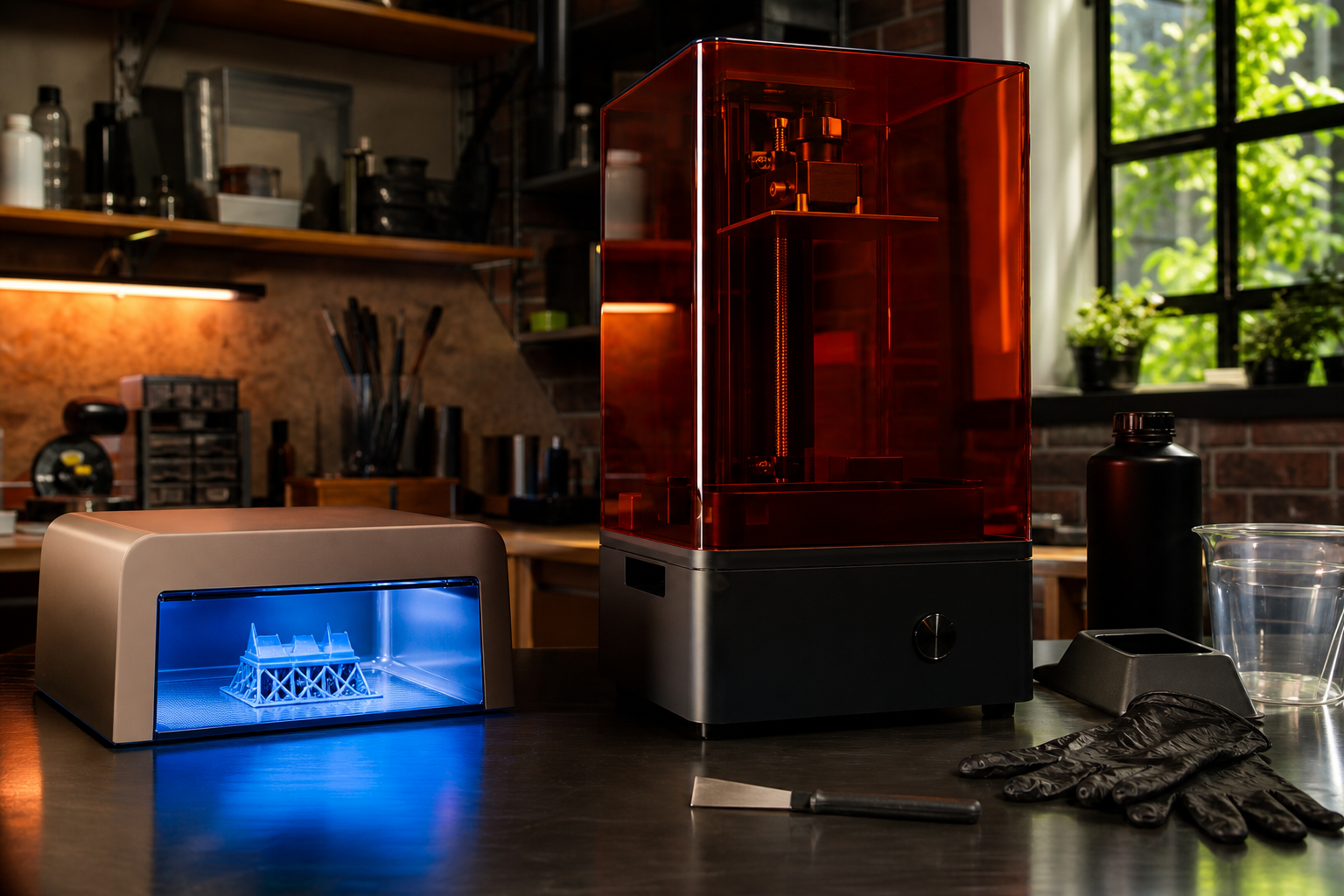
If you’ve already read the resin vs FDM explainer on here and decided resin is the direction you want to go, welcome to the hard part: actually picking one. The market in 2026 is genuinely brilliant compared to even two years ago. Speeds have doubled, resolution has gone through the roof, and features like AI failure detection and auto-levelling that used to cost serious money now ship on machines under £300. But brilliant technology and family homes don’t always mix without a bit of planning, and I want to be straight with you about that before we get to the recommendations.
Resin printing is not plug-and-play in the way a filament printer is. I run a Bambu Lab P2S in the garage, and I can send a print from my Mac Mini, walk away, and collect something reasonably usable a few hours later with minimal fuss. Resin is a different relationship entirely. The results are stunning, especially for miniatures and detailed models, but there are real practicalities around smells, chemicals, and workflow that matter enormously if you’ve got kids or pets in the house. So let’s deal with those first.
The Safety Stuff Families Actually Need to Know
Liquid photopolymer resin is a chemical, full stop. Uncured resin is an irritant. It can cause skin sensitisation with repeated exposure, and some people react quite badly. You will need nitrile gloves every single time you handle liquid resin, the build plate, or the wash container. Not occasionally. Every time.
The smell is the other thing nobody warns you about properly. It ranges from unpleasant to genuinely overpowering depending on the resin type. Standard resins smell like nail varnish remover had a bad day. ABS-like resins are worse. Water-washable resins are better, but still not something you want wafting through the kitchen. You need ventilation. A dedicated space with a window you can open, ideally a garage or a shed, is the right answer. A carbon air purifier helps but is not a substitute for fresh air. Do not run a resin printer in a bedroom or main living space.
Cleanup requires IPA (isopropyl alcohol) or a dedicated wash solution, a container to wash the print in, and a UV curing station to finish the print after it comes off the build plate. That’s more kit, more cost, and more steps than FDM printing. Budget an extra £40 to £70 for a decent wash and cure station if you don’t have one.
Keep uncured resin, your wash container, and used paper towels completely out of reach of children and pets. Dispose of IPA and resin waste responsibly. Don’t pour it down the drain. Cure any liquid waste under UV light first to solidify it, then bin it. None of this is complicated, but it does need to be taken seriously.
If you have young kids who would naturally poke around your workspace, resin printing needs to be behind a closed door. For teenagers who understand the rules, it’s more manageable. My honest take: if your kids are under eight or nine and your workspace isn’t properly lockable, an FDM printer is the more sensible family choice right now.
Resolution and Print Size
Resin printers cure liquid resin layer by layer using UV light masked through a monochrome LCD screen. The resolution you get from even a budget machine is extraordinary compared to filament printing. We’re talking 18 to 25 micron XY resolution, versus 50 to 400 microns for FDM. That’s why resin-printed miniatures look so much sharper.
One thing to understand about the “K” resolution naming: 9K, 12K, 16K refers to the pixel count of the LCD screen. More pixels on the same screen size means more detail. Bigger build volumes with the same pixel count mean slightly less detail per square millimetre. When comparing printers, look at the actual XY resolution in microns rather than just the K number, and consider whether you need a large build plate or whether a smaller, sharper screen suits your use case better.
Speed and Tilt-Vat Mechanisms
This is where 2026 machines genuinely shine. Older resin printers used a simple peel mechanism where the build plate lifts and the layer peels away from the FEP film at the bottom of the vat. This was slow and caused a lot of print failures for beginners. Tilt-vat technology, where the tank tilts slightly after each layer to gently release the print, dramatically reduces peel force and speeds things up massively. The best machines now hit 150mm per hour. That’s not marketing fluff. It’s a real step forward.
If you’re comparing two machines at similar price points, prioritise the one with a tilt-vat or similar low-force release mechanism. It makes the whole experience less frustrating, especially when you’re starting out.
Ecosystem, Software and Ongoing Costs
The printer itself is only part of the budget. Factor in resin cost (typically £25 to £45 per litre depending on brand and type), FEP film replacements (the clear film at the bottom of the vat wears out), and consumables like gloves, IPA, and paper towels. Chitubox and Lychee Slicer are the two main slicing apps. Both have free tiers that are perfectly usable for most people. Check which slicer works best with whichever printer you’re considering.
Support from the manufacturer matters too. Elegoo and Anycubic both have large communities, good documentation, and active forums. For a first resin printer, sticking with one of those two brands is a sensible call.
The Picks
Elegoo Mars 5 Ultra: Best for Beginners
The Mars 5 Ultra is the clearest first recommendation I can make. The tilt-vat mechanism solves the most common beginner failure mode, where prints stick to the FEP film instead of the build plate, without requiring you to understand exactly why it’s happening. Auto-levelling means you’re not starting from scratch with manual bed calibration. The 9K screen delivers 18-micron XY resolution that produces genuinely beautiful miniatures and detailed parts.
UK pricing sits in the region of £159 to £179, though I’d recommend double-checking current pricing before you buy as it does shift. For anyone who specifically wants to print tabletop gaming miniatures, this is the 2026 pick.
Pro: Tilt-vat and auto-levelling make for a much smoother first experience. Con: Smaller build volume than the Saturn range, so large prints need splitting.
Elegoo Saturn 4 Ultra: Best Overall
If you want a larger build volume and the full feature set, the Saturn 4 Ultra is the step up that makes sense. It uses the same tilt-release mechanism for speeds up to 150mm per hour, AI camera monitoring that can catch a failed print before you waste a litre of resin, and a 12K monochrome LCD with 19 to 24 micron XY resolution. The COB light source combined with a Fresnel lens collimator gives over 92 per cent light uniformity across the build plate, which translates directly into consistent print quality edge to edge.
It’s priced at around £367 on 3DJake UK. That’s not an impulse buy, but for what you get, it represents solid value. Creative Bloq’s reviewer called it a great option for both beginners and experienced users, and I’d agree. It’s the machine I’d recommend if you’re serious about resin printing rather than dipping a toe in.
Pro: Large build plate, AI monitoring, and serious resolution in one package. Con: The price puts it beyond casual experimentation territory.
Anycubic Photon Mono 4: Best Value Detail Printer
If the Mars 5 Ultra is unavailable or out of stock, the Anycubic Photon Mono 4 is a solid alternative for detail-focused printing at a similar entry price point. It was cited at around £160 at time of testing, though it’s worth verifying the current price before you buy. It delivers 10K quality and Anycubic has a well-established support community. It doesn’t have the tilt-vat mechanism of the Elegoo options, so expect slightly more patience required on the learning curve.
Pro: Excellent detail-to-price ratio. Con: No tilt-vat mechanism means a steeper learning curve for newcomers.
Quick Comparison Table
| Model | Price (GBP) | Best For | Verdict |
|---|---|---|---|
| Elegoo Mars 5 Ultra | ~£159–£179 | Beginners, miniatures | Best starting point in 2026 |
| Elegoo Saturn 4 Ultra | ~£367 | Serious hobbyists, larger prints | Best overall package |
| Anycubic Photon Mono 4 | ~£160 | Budget detail work | Solid alternative if Elegoo is out of stock |
Prices approximate at time of writing. Always verify before purchasing.
Bottom Line
If you’re a budget buyer just wanting to try resin for gaming miniatures, start with the Elegoo Mars 5 Ultra. It’s the most beginner-friendly machine at a price that doesn’t sting too badly if you decide resin isn’t for you.
If you’re a power user or committed hobbyist who wants the full setup and isn’t put off by the price, the Elegoo Saturn 4 Ultra is genuinely excellent. The larger build volume and AI monitoring justify the extra spend.
If resin printing feels like too much hassle for your current setup, that’s a completely valid conclusion. There are fantastic budget FDM options for families that involve far fewer chemicals and a much simpler workflow. Resin is a tool, not a status symbol. Use it if it solves a problem you actually have.
One last thing: whatever printer you choose, spend time learning your slicer before you commit to a long print. A good model database helps too. The best free 3D model sites for 2026 has plenty of options to get you started without spending a penny on designs.
Want more guides like this, without the waffle? I send a regular newsletter with honest tech picks, family-friendly builds, and the occasional 3D printing disaster story. Sign up at techdadslife.beehiiv.com and I’ll drop it straight in your inbox.