
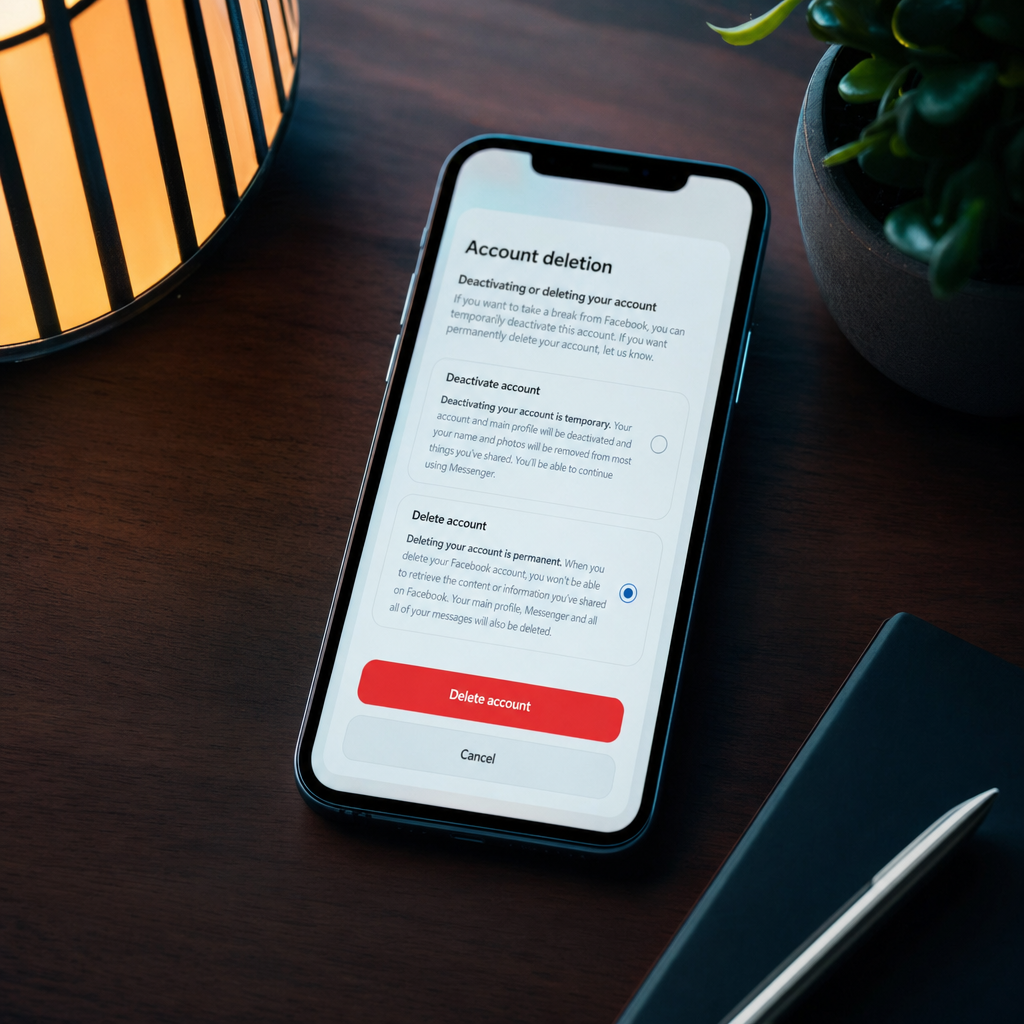
I have a complicated relationship with Facebook. Like a lot of people who joined around the time it first opened up outside universities, my account is a genuine archaeological record of the last 15 or so years. Photos that predate proper smartphone cameras. Events I had forgotten happened. Friends I have completely lost touch with who I could not contact any other way.
And yet I rarely enjoy actually using it. The feed has become something I would never have designed. The ads are everywhere. And there is something uncomfortable about the sheer volume of data Meta has accumulated from my life over all those years.
If you are reading this, you are probably at a similar point. Maybe you want out entirely. Maybe you just want to understand what leaving actually involves before you decide. This guide covers everything, including the stuff Facebook does not make obvious.
Before You Do Anything: Download Your Data
This is the single most important step and the one most people skip. Facebook holds years of your photos, videos, posts, messages, groups, events, and activity. Before you delete anything, get a copy.
Go to Settings and Privacy, then Settings, then Your Facebook Information, then Download Your Information. You will see options to select your date range, format (HTML for readable, JSON for data use), and media quality. For photos and videos you want to keep, choose high quality.
Select everything you want, then click Request Download. Facebook will email you when the archive is ready, which can take anywhere from a few minutes to a few days depending on how large your account is. The download link is only available for a few days, so save the file as soon as you get it.
Go through the archive before proceeding. Make sure you have everything you want. There is no going back once you delete.
Deactivation vs Deletion: Know the Difference
Deactivating your account makes your profile invisible. Your name and photos disappear from Facebook. People cannot search for you or see your posts. However, your data remains on Facebook’s servers and you can reactivate at any time by logging back in. Some things, like your Messenger messages, remain visible to the people you sent them to even while you are deactivated.
Deleting your account is permanent. After a 30-day grace period (during which you can log back in to cancel), Facebook begins the process of removing your account and associated data. This takes up to 90 days to complete. Some data, such as records of messages you sent to other people, may remain on their accounts.
If you are not sure, deactivating first for a month is a sensible middle ground. Many people who deactivate find they do not miss it and proceed to delete. Others reactivate.
How to Deactivate Your Facebook Account
Go to facebook.com on a desktop browser. Click the arrow in the top right, then Settings and Privacy, then Settings. In the left sidebar click Your Facebook Information, then Deactivation and Deletion. Select Deactivate Account, click Continue to Account Deactivation, and follow the prompts.
You will be asked to choose a reason. You will also be given the option to keep your Messenger active even while your main Facebook account is deactivated, which is worth considering if family members contact you there.
How to Delete Your Facebook Account
Go to facebook.com on a desktop browser. Click the arrow in the top right, then Settings and Privacy, then Settings. Click Your Facebook Information, then Deactivation and Deletion. Select Delete Account, then Continue to Account Deletion.
Facebook will show you what will be deleted and give you the option to download your data if you have not already. Click Delete Account, enter your password, and confirm.
The 30-day countdown begins. During this period you can cancel by logging back in. After 30 days, the deletion process begins and takes up to 90 days to fully complete. After that, the account is gone.
Remove Connected Apps and Websites First
Before deleting, it is worth disconnecting any third-party apps and websites that you have logged into using Facebook. Otherwise those connections just become dead tokens sitting in those services.
Go to Settings, then Security and Login (or Apps and Websites in some versions of the interface). You will likely find a surprisingly long list of services you once logged into with Facebook. Remove any you no longer use or no longer want associated with your account.
Similarly, if you have used Facebook to log into anything important that you want to keep access to, make sure you have set up a separate login method for those services before removing the Facebook connection.
What About Messenger?
Messenger is technically a separate app and can keep running even if you deactivate Facebook. But when you delete your Facebook account, your Messenger account is deleted too.
If people contact you primarily through Messenger, this is worth thinking through. Let people know your preferred alternative (WhatsApp, iMessage, email) before you go. It sounds obvious but it is easy to overlook when you are focused on getting out.
Messages you have sent to others will remain on their side of the conversation even after your account is deleted. They will show your name and the content, but the account will be marked as inactive.
Common Problems and Fixes
I cannot find the delete option. Facebook changes its settings layout regularly. If you cannot find Deactivation and Deletion under Your Facebook Information, try going directly to facebook.com/help/delete_account while logged in.
My account reactivates when I try to use Messenger. If you have the Messenger app installed and are signed into it with your Facebook credentials, opening it can reactivate a deactivated account. Sign out of Messenger or uninstall it before deactivating.
I have an old account I cannot access. If you have a duplicate or old Facebook account you have forgotten the password to, use the Find Your Account feature on the login page. Facebook can send reset options to an associated email or phone number. If you have lost access to those too, the account recovery form in the Help Centre is your option.
My photos are not in the download. Sometimes very old photos or photos you were tagged in by others are not included. Photos you were tagged in belong to the person who posted them and will not be in your data download.
Tips Worth Knowing
Use this as a moment to audit your whole digital footprint. While you are removing Facebook, it is worth checking what other services you use, which ones you have forgotten about, and whether your passwords are unique across them. A password manager is a good investment if you do not already use one.
Tell family members before you go. For many families, Facebook is still the primary place that certain relatives share updates, photos, and events. A quick message to let people know you are leaving and how to reach you saves confusion later.
The Family Angle
Facebook’s minimum age is 13, and under UK data protection law (the UK GDPR), children’s data carries extra protections. If your child has a Facebook account they no longer use, helping them delete it properly rather than just abandoning it is good digital hygiene.
For adults, a complete exit from Facebook is increasingly common, particularly among people in their thirties and forties who were early adopters. The decision is personal, but it is worth noting that a lot of what people use Facebook for (group events, local community groups, keeping up with distant relatives) has reasonable alternatives. Local community groups have largely moved to other platforms. Family photo sharing works just as well over WhatsApp or a shared Apple or Google Photos album.
The bit that is genuinely harder to replace is the long-term social graph, the friends from 15 years ago you would not think to add on any other platform. Only you can decide whether that connection is worth the trade-off.
For more practical tech guides for families, including digital wellbeing, privacy, and gear, join the Tech Dads Life newsletter at Tech Dads Life on Beehiiv . It is free and lands every week.
