
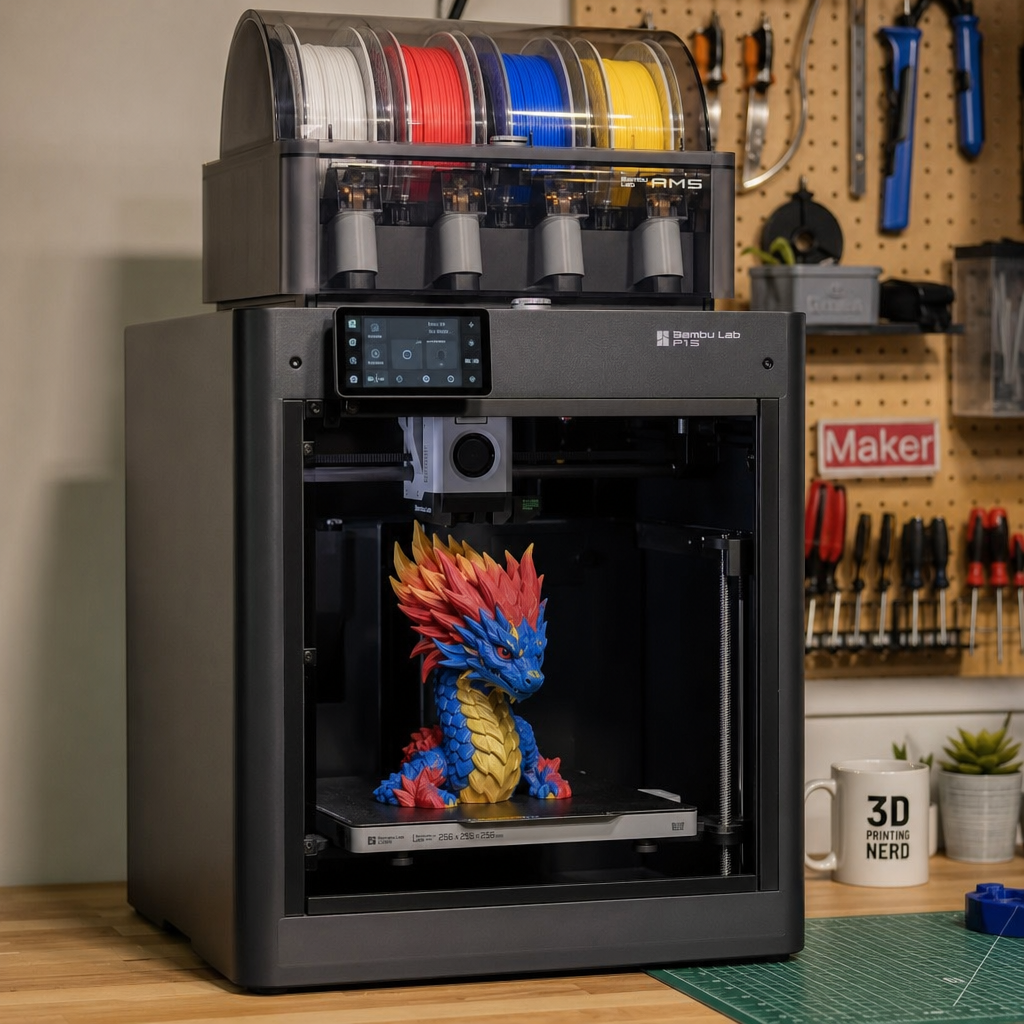
I’ll be honest, I bought the Bambu Lab P1S because I wanted a printer that just worked. No more endless calibration cycles, no more failed bed adhesion at midnight, no more crying over spaghetti prints. And for the most part, it delivered exactly that. But then the kids saw a multi-colour Pokémon print someone had done on YouTube, and suddenly “just works” wasn’t enough. They wanted colour. Multiple colours. All the colours. So down the rabbit hole I went, and the AMS has been sitting in my garage ever since, producing some genuinely brilliant prints and some truly spectacular piles of colourful waste.
If you’re on the fence about multi-colour printing, or you’re trying to work out which Bambu AMS system is right for you, this is the honest breakdown I wish I’d had before I started. No marketing fluff, just the real experience of running one of these things in a family garage where the bar for “worth it” is set firmly at “actually useful.”
Let me be clear upfront: multi-colour 3D printing is genuinely impressive. It’s also genuinely wasteful, occasionally fiddly, and absolutely not magic. All three of those things can be true at once.
AMS vs AMS Lite: Getting the Right One for Your Printer
Before anything else, this is where people go wrong, so let’s sort it out immediately. There are two versions of the Bambu AMS: the standard AMS and the AMS Lite, and they are not interchangeable.
The standard AMS works with the X1 Carbon, X1E, P1S, and P1P. It’s an enclosed unit that sits either beside your printer or, because those printers are all enclosed CoreXY designs, neatly on top. That enclosed design also has a secondary benefit: it keeps your filament dry, which matters more than most beginners realise, especially in a damp garage in Hampshire.
The AMS Lite is designed for the A1 and A1 Mini. It has a completely different form factor, an open-air design with four pegs that filament spools rest on, a bit like four wheels on a car. It comes with a desk stand, the translucent shell lets you see what’s going on inside at a glance, and it’s genuinely easy to work with. But it doesn’t offer the humidity control of the standard AMS, and the A1 series can only connect to one AMS Lite, capping you at four colours maximum.
One thing worth noting: if you have an A-series printer and want the benefits of the standard enclosed AMS, that is officially supported. You’ll need to buy a specific hub adapter, but it is a legitimate setup. Going the other way round doesn’t work, though. You can’t use an AMS Lite with an X1 or P1-series printer. The systems are mechanically and electronically incompatible.
The standard AMS can also scale. You can chain up to four AMS modules together using a separately purchased AMS Hub, which gives you up to 16 filament colours in a single print. That is both spectacular and completely unnecessary for most family use cases, but the option is there if you want to go full rainbow.
Rough UK pricing at time of research: the AMS Lite was listed at £169 (down from £229) on the Bambu Lab UK store, and the standard AMS at £219 (down from £269). Do check current pricing before you buy, as these were sale prices. Third-party retailer 3DJake has also listed both units, with the standard AMS around £234 and the AMS Lite around £187. Prices shift, so always verify.
The Purge Problem Nobody Fully Warns You About
Right. Let’s talk about “poop.” That’s the community nickname for the purged filament waste that gets spat out beside your print every time the printer switches colour, and it is genuinely the biggest downside of multi-colour printing on any AMS-based system.
Here’s what actually happens. Every time the printer needs to switch from one filament to another, the old filament gets retracted, the new filament gets fed in, and then the extruder has to flush out whatever’s left over. A blob of mixed, unusable filament gets deposited off to the side of the build plate. It’s not a glitch. It’s by design, and there’s no way to eliminate it entirely.
What makes it worse is that the colour of the filament involved determines how much flushing is needed. Switching from dark to light requires a much larger flush to avoid colour contamination. Bambu’s own documentation cites an extreme example: a small 11-gram object requiring 153 filament changes and generating 83 grams of waste. That’s more than seven times the weight of the finished print in discarded plastic. The silver lining in that particular example is that if you duplicate that cube to make nine copies in one print, the filament changes and waste remain the same, but you get eight additional finished objects. The waste cost per item drops dramatically.
Now, the good news is that the default slicer settings in Bambu Studio are deliberately conservative, which means they’re producing more waste than strictly necessary. You can tune this. There are a few practical tricks that make a real difference:
First, print multiples. The printer wastes filament only when it changes colour, and it wastes the same amount whether it’s printing one item or a dozen. So if you batch your print runs, you spread that waste cost across far more finished objects. It’s one of the most effective things you can do.
Second, the Flush into Infill setting (in the Others tab in Bambu Studio) lets the printer use some of that purge material inside the infill of your model rather than depositing it as separate waste. It doesn’t eliminate the problem, but it does reduce what ends up in the bin.
Third, there’s a less obvious feature called Flush into Object, which essentially turns your purge waste into part of the model itself. It’s clever, though it does affect how the interior of your print looks, so it’s worth testing before relying on it.
Filament isn’t expensive, relatively speaking, and the results genuinely do look great. But go in with eyes open: multi-colour printing will cost you more filament per hour than single-colour printing. That’s just the reality.
Real Print Results and Setup Experience
Once everything is calibrated and running, the prints themselves are genuinely impressive. Logos, maps, name plates, miniatures with multiple paint zones, Pokémon figures that the kids will actually be pleased with. The quality is there. The layer transitions are clean when your settings are dialled in, and the colour separation is surprisingly sharp for a process that involves melting plastic.
Setup time is real, though. Loading four different filaments, running the colour calibration, slicing with colour assignments, checking flush volumes. It’s not a five-minute job the first time. It gets faster once you have a workflow, but don’t expect to go from idea to multi-colour print in under half an hour on your first attempt.
Filament compatibility is also worth thinking about. Sticking to PLA for multi-colour work is the path of least resistance. Mixing materials with different temperatures or printing characteristics across AMS slots adds complexity quickly, and the standard AMS has the edge here because the enclosed, humidity-controlled environment gives you better consistency across a print run.
Comparison: AMS vs AMS Lite at a Glance
| Feature | AMS (Standard) | AMS Lite |
|---|---|---|
| Compatible printers | X1 Carbon, X1E, P1S, P1P | A1, A1 Mini |
| Max colours (single unit) | 4 | 4 |
| Max colours (multi-unit) | 16 (with AMS Hub) | 4 (one unit max on A-series) |
| Humidity/drying enclosure | Yes | No |
| Can sit on top of printer | Yes (enclosed printers) | No |
| UK price (approx at time of research) | £219–£269 | £169–£229 |
| Design | Enclosed | Open-air with desk stand |
| Visibility of internals | Limited | Good (translucent shell) |
Hype Cycle Check
LIKELY TO LAST: Multi-colour printing using a filament-switching AMS system is genuinely useful, already mainstream, and solving a real problem. Bambu Lab has cemented itself as one of the most popular 3D printer brands in the UK, and this is not a niche experiment any more.
WATCH CLOSELY: Filament waste reduction. The default settings are too conservative, and Bambu is aware of the community pressure to improve this. Slicer updates have already moved in the right direction. Expect further improvements as competition in the multi-material space increases.
VAPOURWARE RISK: The idea of completely waste-free multi-colour FDM printing. Multi-material systems that use different approaches, like the Prusa XL’s tool-changer design, reduce waste differently but still have trade-offs. True zero-waste colour switching at this price point isn’t here yet.
What This Means for CES 2027
Multi-material printing is clearly the direction the market is heading, and CES 2027 is likely to bring some interesting moves in this space. Bambu Lab has been iterating quickly, and the pressure from competitors will push the waste-reduction conversation further forward. Expect to see more filament-efficient flushing algorithms, possibly smarter slicer AI that optimises colour change sequencing automatically. There’s also the question of multi-material support for engineering-grade filaments, which the current AMS handles imperfectly. If Bambu or a competitor cracks reliable multi-colour printing with PETG, ASA, or flexible materials at the consumer level, that would be a proper headline.
What to Watch
- Bambu Studio slicer updates - the purge volume controls are improving, and further tuning options could meaningfully reduce waste without compromising print quality.
- AMS Hub adoption - as more P1S and X1 users experiment with multi-unit AMS setups, expect more community data on whether 8 or 16-colour prints are genuinely practical for home use.
- Competitor multi-material systems - Prusa, Creality, and others are building their own multi-colour solutions. More competition here is good for everyone’s wallet.
- Filament dryer integration - the AMS Lite’s lack of humidity control is a known weakness. Watch for either a hardware revision or third-party solutions that attach directly to the unit.
If multi-colour printing is on your radar, it’s absolutely worth doing. Just go in knowing what you’re committing to. The results are great, the waste is real, and the setup has a learning curve. But once it clicks, it’s one of those things that makes you look at your printer in a completely different way.
If you want more honest takes on 3D printing, home tech, and family-friendly gear that actually earns its place in the house, come and join the newsletter. No spam, no filler, just the stuff worth knowing.
