
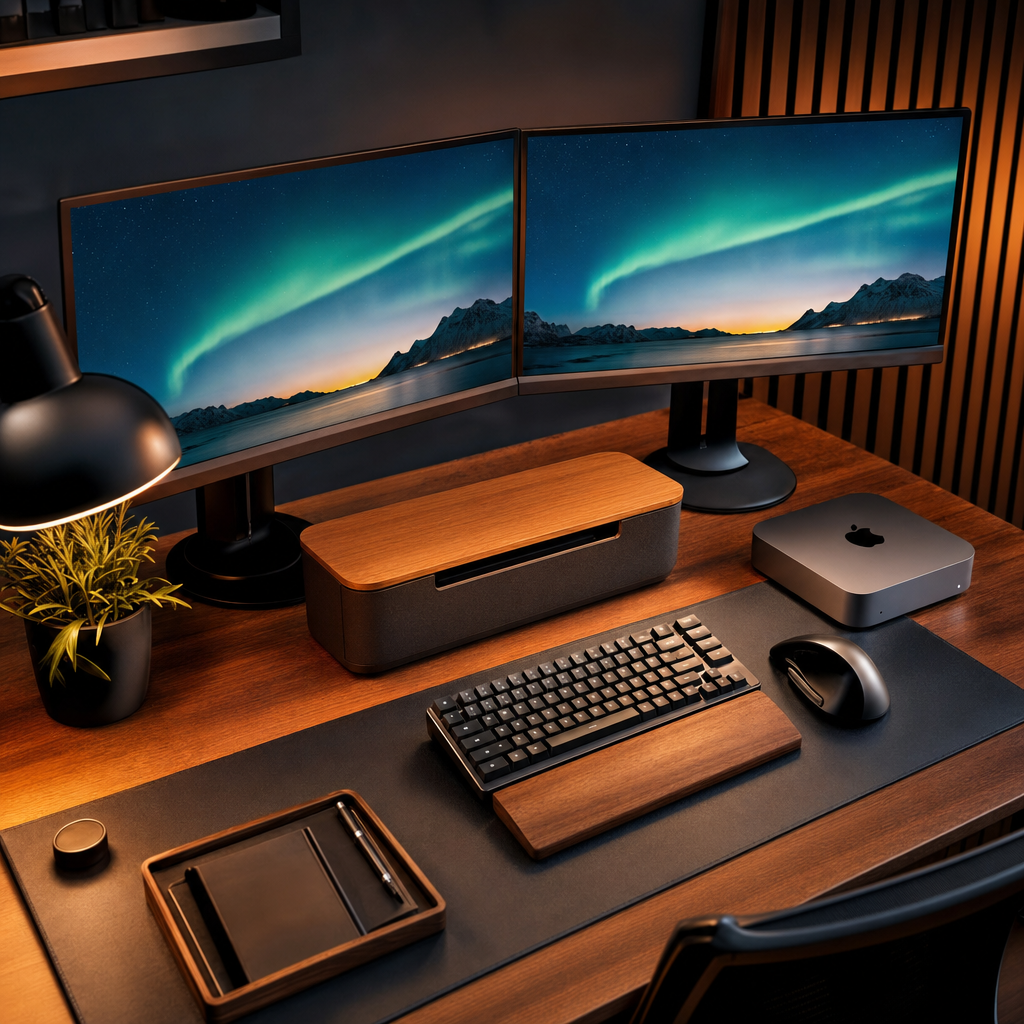
There’s a moment every working dad knows. It’s about 8am, the kitchen is absolute chaos, someone can’t find their PE kit, and the dog is eating something it shouldn’t. And all you can think is: at least my desk is sorted. Because when the rest of the house is entropy in motion, the home office is the one place you actually have control.
I’ve been refining my setup for years, and after a significant overhaul in late 2024 and through into 2025, I think I’ve finally landed somewhere I’m genuinely happy with. The centrepiece is the Mac Mini M4, and everything around it has been chosen (or retained, or suffered) for a reason.
This isn’t a glamour piece. I’m going to give you the honest verdict on every piece of the setup, including the stuff that’s annoyed me, the things I bought that I’d buy again without hesitation, and one or two decisions I’m still slightly haunted by.
The Mac Mini M4: The Machine That Changed Everything
Let me start by saying that coming from an Intel-era machine, the M4 Mac Mini felt almost absurd. Apple announced it in October 2024 and it started shipping in November, and I had one fairly quickly after launch. It’s the biggest Mac Mini redesign since 2010, and the first time the chassis has shrunk down to just five by five inches. It weighs 1.5 pounds. My lunch is heavier than my main home computer.
The base model starts at £599, which represents a £50 drop on the previous generation. I picked mine up from a third-party retailer for closer to £519, which at that price makes it one of the best value desktop computers you can buy, full stop. The M4 chip inside features a 10-core CPU, a 10-core GPU, and 16GB of unified memory as standard, double what you used to get. For day-to-day productivity, light video editing, and running local AI tools (which I do a fair bit of), it is genuinely exceptional.
Silence is the word I keep coming back to. Under load, this machine is essentially inaudible. My old setup with its case fans and spinning drives sounded like a small aircraft preparing for takeoff. The M4 just sits there, doing its thing, without drama.
Now the honest bits. There’s no SD card slot, which matters for me because I shoot with the Nikon D800 and use the DJI kit constantly. Every time I come back from filming something, I’m reaching for an adapter. It’s a small thing, but it adds up. There’s also no webcam and no meaningful built-in speaker, so budget for those separately if you’re coming fresh to this machine. And the front USB-C ports, while genuinely useful, are slower than the rear Thunderbolt 4 ports. Plug your fast storage into the back, not the front. That one caught me out initially.
It’s also worth flagging that Apple is expected to refresh the Mac Mini with M5 chips sometime around mid-to-late 2026. If you’re not in a rush, it might be worth watching that space. If you need a machine now though, the M4 remains brilliant.
Monitors: Where I’ve Got It Right and Wrong
I’m running a dual monitor setup with ASUS displays, and this is the area where I’ve had the most back-and-forth over the years. Here’s what I’ve landed on, and why.
The sweet spot for a home office monitor in 2026 is 27 inches at 1440p. That’s the consensus from reviewers and it matches my own experience precisely. Big enough to have two documents open side by side without squinting, sharp enough that text looks genuinely clean, and doesn’t hammer the GPU the way a 4K panel does. IPS panels are the right call for work, full stop. Accurate colours, solid viewing angles, consistent brightness across the whole screen. If someone is trying to sell you a TN panel for productivity in 2026, walk away.
One feature I can’t recommend highly enough for anyone planning a new setup is USB-C with power delivery. A monitor that can act as a docking station, pulling in your laptop via a single cable and pushing power back out at the same time, is a desk-tidying revelation. If you’re speccing out a new monitor, make this non-negotiable.
Cable management on the desk is, if I’m honest, an ongoing project rather than a finished achievement. The Mac Mini’s compact size helps enormously, but with two monitors, a NAS, a USB hub, and various accessories, the back of my desk still occasionally looks like a plate of spaghetti. I’ve used cable raceways and velcro ties to get it mostly under control, but I’ll not pretend it’s perfect.
Peripherals: The Good, the Adequate, and the Overpriced
Keyboard and mouse: I spent a while using Apple’s Magic Keyboard and I’ll say this. The Touch ID integration is genuinely useful. Logging in and authenticating with a fingerprint rather than typing a password a hundred times a day is one of those small quality-of-life wins that sounds trivial and isn’t. The keyboard itself is decent enough for typing, though if you spend serious time at the keys you may find yourself wanting something with more travel.
The Magic Mouse, though. Look. It’s pretty. It has touch gestures. And at £79 it should be significantly more impressive than it is. The gesture surface works well, but the ergonomics are awful for extended sessions, and the fact that you can’t charge it while using it remains one of the more baffling design decisions in recent Apple history. I’ve replaced mine with a third-party option and haven’t looked back.
Webcam: The Mac Mini, as mentioned, has no camera. I sorted this with a decent standalone USB webcam that sits on top of the monitor. Video calls are a big part of working hybrid, so this isn’t optional kit. It’s essential. Don’t cut corners here.
USB Hub: With the Mac Mini’s ports spread between front and back, and some of the front ones being slower, a quality powered USB hub is genuinely worth having. I keep one on the desk and it handles my SD card reader, external drives, and anything else that needs plugging in regularly. This is probably the most under-discussed piece of any Mac Mini setup.
What’s Working vs What Isn’t: The Honest Scorecard
| Component | Verdict | Would I Buy Again? |
|---|---|---|
| Mac Mini M4 | Outstanding. Silent, fast, great value | Absolutely |
| ASUS Monitors | Solid. IPS panels, good for work | Yes |
| Apple Magic Keyboard | Good. Touch ID is genuinely useful | Yes |
| Apple Magic Mouse | Overpriced and awkward for long sessions | No |
| Front USB-C ports (Mac Mini) | Slower than rear. Caught me off guard | N/A |
| Dual monitor setup | Highly recommended for productivity | Yes |
| Cable management | Work in progress. Always will be | Ongoing |
| No SD slot on Mac Mini | Real-world pain point for creators | Miss |
Hype Cycle Check
LIKELY TO LAST: The Mac Mini M4 as a productivity and creative workhorse. The performance-per-pound is genuinely exceptional, and Apple silicon has proven durable and well-supported. USB-C monitors with docking capability are also here to stay.
WATCH CLOSELY: The M5 Mac Mini refresh expected later in 2026. If the M4-to-M5 jump follows previous generational leaps, it’ll be worth watching, especially for anyone who does heavier video work or local AI inference.
VAPOURWARE RISK: Anything promising “AI-powered” workspace optimisation from smaller peripheral brands. There are a lot of products in this space making bold claims that amount to little more than a rechargeable USB hub with a logo on it.
CES Angle: What This Means for CES 2027
Home office setups have quietly become one of the more interesting product categories to watch at CES. By 2027 I’d expect to see a significant push around AI-integrated peripherals that are actually useful, monitors with smarter ambient light adjustment and privacy features built in, and docking stations that can genuinely replace a full port selection. The Mac Mini M4 is already ahead of most of the competition in raw compute terms, but the ecosystem of peripherals around it has some catching up to do. CES 2027 could be where that gap starts to close.
What to Watch
- M5 Mac Mini timing. Apple’s expected refresh later in 2026 will be the one to benchmark the M4 against. If you’re buying now, the M4 remains the right call. If you can wait six months, have a look at what’s coming.
- USB-C monitor pricing. The price gap between USB-C enabled monitors and standard ones has been narrowing steadily. By the end of 2026, USB-C docking capability should be standard at the 27-inch tier, not a premium feature.
- Compact desktop competition. Mini PCs running Windows have been nipping at the Mac Mini’s heels on price. Worth keeping an eye on whether any genuine challengers emerge in the second half of 2026.
- AI on the desktop. Apple Intelligence continues to evolve, and with 16GB unified memory as the new baseline on M4, the Mac Mini is actually well-positioned for local AI tasks. The next 12 months will show how much of that potential gets unlocked in practical, useful ways.
If you want more honest breakdowns of real-world tech setups, the stuff that actually works for families and not just YouTubers with lighting rigs and unlimited budgets, come and join the newsletter over at Tech Dads Life on Beehiiv . I share what I’m actually using, what I’m testing, and occasionally what I’ve broken. No fluff, no filler.
