
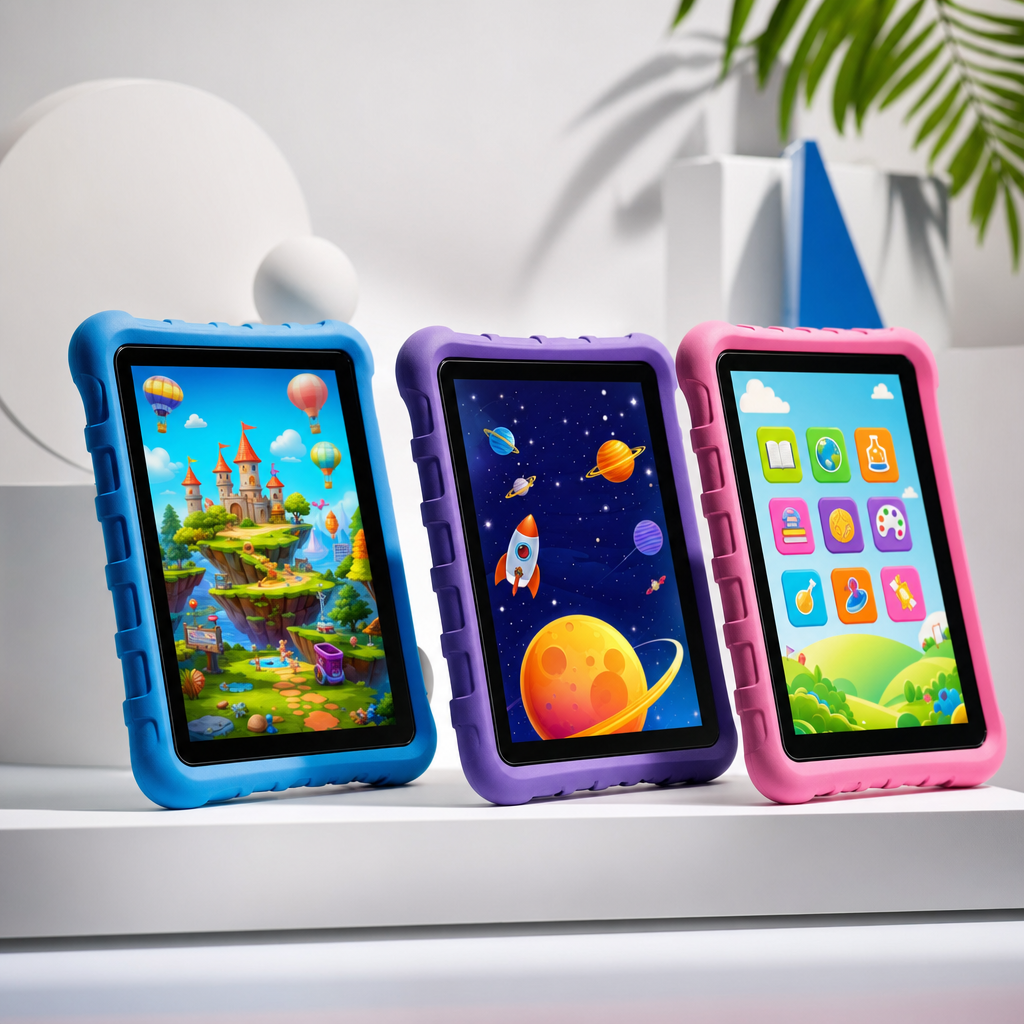
My 13-year-old still uses a tablet I bought him a few years ago. It is battered, has a cracked screen protector, and makes a noise when it charges that I am fairly certain is not normal. But it works, runs the games he wants, and has survived being left on the sofa cushion at exactly the wrong moment more times than I care to count. When I started looking at replacements, I was surprised by how much the market had shifted.
Budget tablets in 2026 are genuinely good in a way they were not three or four years ago. The gap between a £150 tablet and a £400 one has narrowed significantly for the kind of use most kids actually have - streaming, gaming, video calls, and the occasional bit of homework. You no longer need to spend iPad money to get something that works reliably and lasts a reasonable length of time.
This guide covers the best options under £150 (around $190), with a look at what makes each one worth considering and where the compromises are.
What Actually Matters in a Kids’ Tablet
Before we get to specific models, it is worth being clear about what matters and what is mostly marketing.
Processor is important for longevity. A tablet with a weak chip that feels fine today will feel sluggish in eighteen months. Look for something with at least a 2021-era chip or newer.
RAM matters more than most budget tablet listings make obvious. 3GB is the minimum for smooth multitasking. 4GB is better. Anything with 2GB will frustrate you within a year.
Screen quality varies enormously at this price point. Brightness matters more than resolution for kids - a bright 1080p screen is more usable than a dim 2K one. Look for at least 400 nits brightness.
Software support is the most underrated factor. A tablet that stops receiving security updates becomes a liability. Amazon’s Fire range gets long support but is locked into Amazon’s ecosystem. Android tablets vary hugely. Apple’s iPads get the longest support of any tablet on the market, which is part of why they hold value.
Durability - kids are not gentle. A case is always worth buying separately, but some tablets are fundamentally more robust than others.
The Amazon Fire HD 10 Kids Edition
At around £100 to £130 (approximately $125 to $160), the Fire HD 10 Kids Edition remains one of the most sensible buys for primary school age children. It comes with a chunky protective case, a two-year worry-free guarantee that covers accidental damage, and a year of Amazon Kids+ subscription built in.
The hardware is a 10-inch 1080p display, 3GB RAM, and Amazon’s own processor. Performance is fine for the age group it is aimed at. It will not run demanding Android games, but for Netflix, YouTube Kids, Minecraft, Roblox, and apps for school, it handles everything without complaint.
The main compromise is the software. Fire OS is Amazon’s Android fork and does not have access to the Google Play Store. You get the Amazon Appstore instead, which has most popular apps but not everything. For younger children this rarely matters. For teenagers who want specific apps or games, it can become a friction point.
The parental controls are genuinely excellent. Amazon Kids gives you detailed time limits, content filters by age, and a clear dashboard. For parents who want oversight without a complicated setup, this is the easiest implementation on the market.
Samsung Galaxy Tab A9
At around £130 to £150 (around $165 to $190), the Samsung Galaxy Tab A9 is the pick if you want a proper Android experience rather than Amazon’s walled garden. It runs full Android with the Google Play Store, which means access to every app and game your child is likely to want.
The 8.7-inch screen is bright and sharp. Performance with 4GB RAM is solid - this is a noticeably more capable device than the Fire HD range. It handles more demanding games and does not slow down with multiple apps open.
For teenagers especially, this is the better choice. The Galaxy Tab A9 does not feel like a kids’ device, which for a 17-year-old is important. My eldest would refuse to be seen with something marketed at children, and I do not entirely blame him.
Google Family Link works well with it for parental controls, though the implementation is less seamless than Amazon’s own system. Worth a few minutes of setup to get it right.
Battery life is around 8 to 10 hours of mixed use, which is respectable for the price. Build quality feels solid. The main downside is it only gets two to three years of software updates from Samsung, which is shorter than you might hope.
Amazon Fire HD 8 Kids Edition
If your child is primary school age and you want to spend less, the Fire HD 8 Kids Edition at around £80 to £100 (around $100 to $125) is very hard to argue with. You get the same worry-free guarantee and Amazon Kids+ subscription as the HD 10, on a smaller and lighter device that is easier for younger children to hold.
The screen is smaller at 8 inches and the resolution is lower than the HD 10, but for ages 3 to 10 it is entirely adequate. The case that comes with it is impressively tough. I have seen one of these dropped onto tiles repeatedly and survive with nothing more than scuffs on the case.
Do not buy this for a teenager. It will feel too small and underpowered quickly. But for a 6-year-old who wants to watch Bluey, play educational games, and video call their grandparents, it is the best value product on this list.
Lenovo Tab M10 Plus
The Lenovo Tab M10 Plus at around £120 to £140 (around $150 to $175) sits in an interesting middle ground. It runs stock Android with full Google Play access, has a large 10-inch 2K display, and performs confidently for the price. Build quality is noticeably better than the Amazon Fire range - it feels like a more premium device than it costs.
Software update support from Lenovo is the weak point. Three years of security updates is roughly what you get, which is acceptable but not outstanding. For a device you plan to use for two to three years, it is fine. If you want it to last four or five years, that becomes a concern.
For families who want the simplicity of Google’s ecosystem (Chromebooks at school, Android phones , Google accounts) the Lenovo integrates neatly. It is a particularly good option if your teenager already uses Google services for school.
What to Avoid
Any tablet from an unrecognisable brand at under £70 is almost certainly a compromise too far. The processor will be too slow, the screen too dim, RAM too limited, and software updates non-existent. These devices frustrate children and get abandoned quickly.
Older iPad models can look tempting on the used market, and some genuinely are good value - an iPad 9th generation from a trusted seller can still outperform most Android tablets at this price. Apple’s software support alone makes older iPads worth considering. Just check the supported iOS version before buying.
The Family Angle
For three kids at different ages, the pattern I would follow is: Fire HD 8 Kids for under 10s, Samsung Galaxy Tab A9 or Lenovo Tab M10 Plus for 11 to 16 year olds, and for 17 and up, consider whether a good secondhand iPad or a budget laptop might actually serve them better. By the time a young person is preparing for A-levels or equivalent, a tablet often stops being the right tool.
Whatever you buy, get a screen protector and a case. Add them to the basket at checkout. A tablet without a screen protector is not a budget buy - it is an accident waiting to happen.
For more buying guides and tech picks for families, the Tech Dads Life newsletter covers this kind of thing every week. Sign up free at Tech Dads Life on Beehiiv .
