
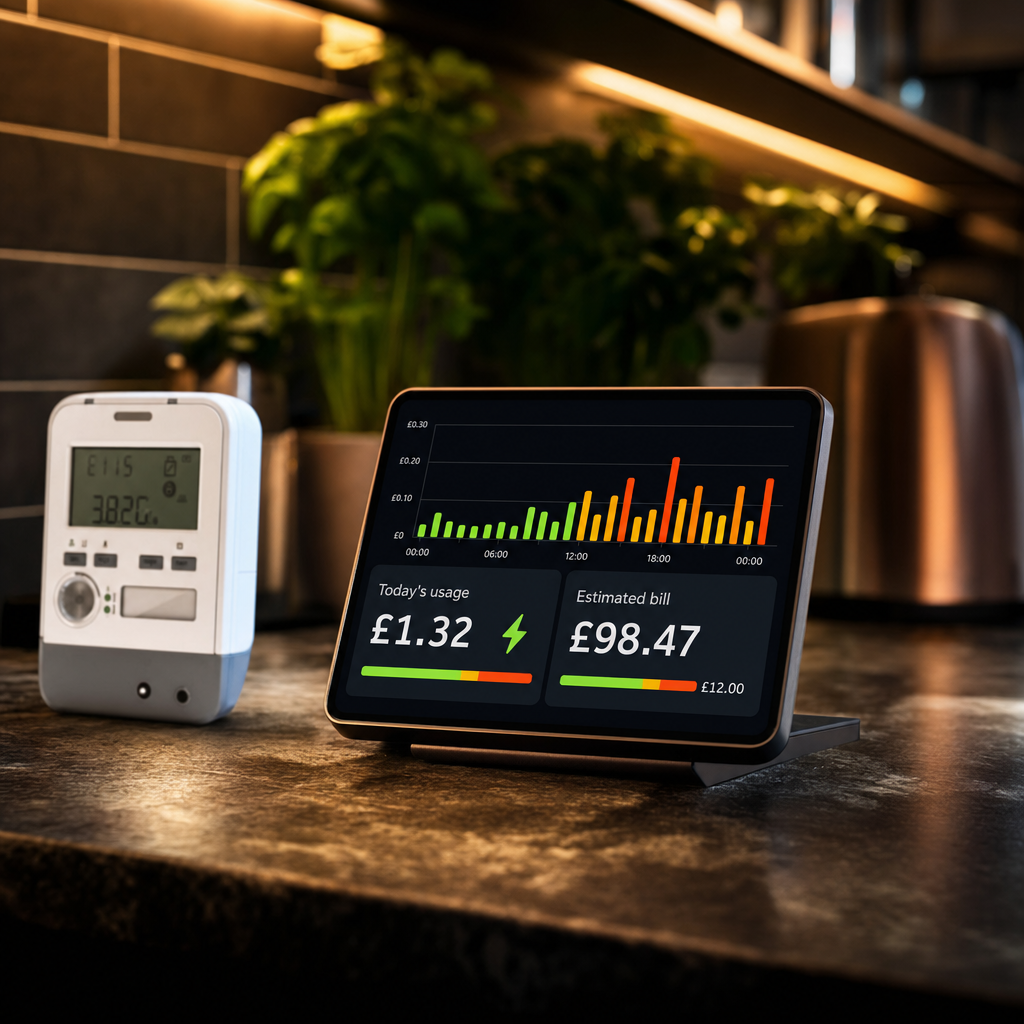
If you’ve got a house full of gadgets, a Tesla on the drive, and teenagers who think electricity is free, you already know the pain of opening an energy bill and feeling your soul leave your body. I’m right there with you. Even with the Ofgem price cap dropping slightly in April 2026 to an average of around £1,641 a year for a typical household, electricity is still sitting at roughly 24.67p per kWh, and bills are still around 35% above where they were before the energy crisis hit. It’s worth noting that the Ofgem cap applies to Great Britain only, and unit rates vary by region, so your numbers may differ slightly. The cap dropping is good news, but it doesn’t mean we should stop paying attention.
Here’s the thing. Most of us have no idea which appliances are quietly draining money in the background. The tumble dryer you forgot to switch off. The gaming setup left on standby overnight. The ancient fridge in the garage that’s working overtime. A decent energy monitor won’t pay your bills for you, but it will show you exactly where your money is going. Most households save between 5% and 15% per year just by seeing the numbers and adjusting their habits. That’s real money. Let’s talk about how to find the right monitor for your home.
Smart Meter vs Energy Monitor: Know What You’re Actually Buying
A smart meter and an energy monitor are not the same thing, and this trips people up constantly. Your smart meter tells your supplier how much you’ve used, for billing purposes. An energy monitor takes that data, or gathers its own, and puts it somewhere useful: an app, a display, a dashboard. Some monitors work by connecting to your existing smart meter via Zigbee. Others use CT clamps that attach to your main supply cable. A few do both. Knowing which type suits your setup is the first decision you need to make.
Whole-Home vs Circuit-Level Monitoring
A whole-home monitor tells you your total consumption at any given moment. That’s useful, and for most families it’s enough to spot patterns and change behaviour. Circuit-level monitors go further, breaking down usage by individual circuits in your consumer unit, so you can see that it’s specifically the electric shower on circuit 4 that’s costing a fortune, not just “something in the house.” Circuit-level monitoring usually involves fitting CT clamps at your fuse board, which isn’t a five-minute job, but it gives you far more granular data.
App Quality and Smart Home Integration
The hardware is only half the story. If the app is a nightmare to navigate, or if you can’t pull data into your smart home setup, you’ll stop using it within a week. Look for monitors with solid apps that show historical trends, daily costs, and ideally alerts when usage spikes. If you’re a Home Assistant user, or you’re interested in building automations around energy data, check whether the device supports local MQTT or API access. That opens up a world of possibilities beyond just looking at a graph.
What I Would Measure First
I would not start by trying to optimise the whole house at once. That way lies spreadsheet madness and a family who stop listening after day two. I would start with the boring suspects: tumble dryer, dishwasher, washing machine, electric shower, gaming PC or console setup, old fridge or freezer, dehumidifier, and anything that heats water or air.
Our homes tend to waste electricity in patterns rather than single dramatic moments. The useful question is not “what is using power right now?” but “what keeps using power when nobody is thinking about it?” A monitor earns its keep when it helps you spot those patterns without needing to become the household energy police.
Compatibility With Your Meter Type
In the UK, SMETS1 and SMETS2 smart meters are the two main variants. SMETS2 meters are the newer standard and are more widely compatible with third-party devices. Some SMETS1 meters are also compatible, depending on your region and supplier. If you don’t have a smart meter at all, you’ll need a CT clamp-based solution, as you won’t have a meter to connect to. Before buying anything, check what meter you have. It’ll save you a lot of frustration.
If you already have an in-home display from your supplier, do not assume you need to buy more hardware immediately. Use it for a week first. Put the kettle on, run the tumble dryer, start the dishwasher, charge the car, and watch what happens. That quick experiment teaches you more about your house than a generic savings article ever will.
Where dedicated monitors become more useful is history. A live display tells you what is happening now. A proper app or dashboard tells you what happened every evening this month, whether Saturday laundry is costing more than expected, and whether an appliance is quietly getting worse over time.
The Picks
Hildebrand Glow IHD + CAD
For UK households with a SMETS1 or SMETS2 smart meter, the Glow is the standout choice. It connects directly to your meter via Zigbee, so the data is coming straight from the source rather than being estimated. Electricity data refreshes every ten seconds, which is impressively responsive. Gas data, by contrast, typically updates every 30 minutes, which is a limitation of the gas meter itself rather than the Glow. The Bright app is clean, and it includes historical data, cost tracking, and for Octopus Agile customers, Hildebrand say it’s the only product that shows live Agile tariff costs and history.
What makes the Glow genuinely special for the tech-minded among us is the local MQTT feed and cloud API access. If you’re running Home Assistant, you can pull live consumption data updated roughly every six seconds and build automations around it. That’s not something every monitor offers. Because the data comes directly from the smart meter, it’s more accurate than CT clamp solutions which estimate usage. Pricing has historically sat around £30 to £40, but you should check the Glowmarkt shop directly for current pricing and stock availability, as demand has caused wait times in the past. There’s also a free option: if you have a SMETS2 (or enrolled SMETS1) meter, the Bright app alone gives you half-hourly data at no cost once you’ve completed verification. That’s worth trying before you spend anything.
One important note: you’ll need to go through Hildebrand’s meter verification process before ordering. It’s a regulatory requirement to confirm permission to join the device to your meters, and it’s straightforward, but factor that in. Hildebrand is a SECAS-approved DCC Other User, meaning they can connect the device without your supplier’s involvement. They’re also ISO 27001 certified and audited annually for security and privacy, which is reassuring if you’re particular about who has access to your data.
Pro: Direct smart meter connection, MQTT/API support, Home Assistant-friendly, free app option available. Con: Requires smart meter compatibility check before purchase, and stock has been limited at times.
Emporia Vue 3
The Emporia Vue 3 is a circuit-level monitor from the US that tracks your overall home consumption and, with additional sensors, breaks usage down by individual circuits. It’s popular among DIY energy enthusiasts who want serious detail about where their power is going. The problem for UK buyers is that the Vue 3 is not officially distributed in the UK, which means importing it yourself and dealing with any compatibility or support issues that follow.
If you’re comfortable with that, it’s a capable bit of kit. But for most families, the import hassle and lack of official UK support tips the balance against it. Worth knowing: Emporia’s UK and EU smart plugs are officially available on Amazon, which is a much simpler way to dip your toe into their ecosystem and monitor individual appliances without the fuss.
Pro: Smart plugs are officially UK-available and great for appliance-level monitoring. Con: The main Vue 3 whole-home unit is not officially UK-distributed, which means import headaches and no local support.
Sense Home Energy Monitor
Sense uses machine learning to identify individual appliances from patterns in your home’s electrical signal, using CT clamps fitted at your consumer unit. Over time, it learns to distinguish your fridge from your washing machine, which sounds almost like witchcraft until you’ve watched it work. The app is excellent, and the historical data is some of the most detailed available.
The caveat for UK buyers is similar to the Emporia situation. Sense is a US-designed product, and UK installation requires an electrician comfortable with fitting CT clamps to your consumer unit. It’s not a plug-and-play setup. For the serious home energy enthusiast willing to invest properly, it’s fascinating technology. For a family just wanting to find the mystery appliance costing them £20 a month extra, it may be more than you need.
Pro: Machine learning appliance detection is genuinely impressive, excellent app and historical data. Con: US-designed, requires professional installation in the UK, and comes at a premium price.
Owl Intuition-e
The Owl Intuition-e is a properly UK-designed whole-home energy monitor that uses a CT clamp on your main supply cable and transmits wirelessly to a display unit and app. It doesn’t require a smart meter, which makes it accessible to households that haven’t been upgraded yet. Setup is manageable for a confident DIYer. The app shows live usage, historical data, and cost estimates based on the unit rate you input manually.
It’s not the most feature-rich option on this list, and the app is more functional than beautiful, but it works, it’s officially UK-sold, and it requires no meter compatibility checks. For households without smart meters, it’s a solid and sensible choice.
Pro: Works without a smart meter, officially UK-sold, straightforward DIY installation. Con: App isn’t as polished as the competition, and there’s no API access for home automation integration.
Quick Comparison
| Model | Price (GBP) | Best For | Verdict |
|---|---|---|---|
| Hildebrand Glow IHD + CAD | ~£30–£40 (verify at shop) | Smart meter households, Home Assistant users | Best all-rounder for UK tech dads |
| Emporia Smart Plug UK | Budget-friendly | Single appliance monitoring | Great entry point, no full-home view |
| Sense Home Energy Monitor | Premium (check current pricing) | Power users wanting appliance detection | Impressive but overkill for most families |
| Owl Intuition-e | Mid-range | Households without smart meters | Reliable UK option, no smart meter needed |
Bottom Line
If you’ve got a SMETS1 or SMETS2 smart meter, start with the Hildebrand Glow. It connects directly to your meter, the data is accurate, the app is decent, and if you’re into Home Assistant at all, the MQTT support makes it genuinely powerful. Check your meter compatibility first, verify current pricing on the Glowmarkt shop, and try the free Bright app before you even spend a penny.
If you don’t have a smart meter yet, the Owl Intuition-e is the safe, sensible, officially UK-supported choice. If you just want to find out what one suspicious appliance is costing you, an Emporia UK smart plug will do that job neatly without any installation drama.
Whatever you pick, the numbers don’t lie. See where your money is going, and you’ll almost certainly find somewhere to claw a bit of it back.
The family trick is to make the data useful without turning it into blame. I would use an energy monitor to find habits and appliances, not to accuse someone of making toast wrong. Once everyone can see that one load of drying costs more than expected, or that a forgotten heater is quietly expensive, changing the habit becomes much easier.
Want more practical tech for real family life? Sign up for the Tech Dads Life newsletter at techdadslife.beehiiv.com . No spam. No fluff. Just useful stuff, delivered to your inbox.
